
System Access
Connect external systems like NexHealth to give your AI teammates real-time access to practice management data.
Experimental Feature: System Access is currently in early access. Available integrations and configuration options may change.
System Access connects external systems to the Ventus platform, giving your AI teammates the ability to query live data through API integrations. Unlike knowledge bases, which contain static documents, System Access provides real-time, read-only queries to external systems.
Available Integrations
NexHealth
Connect your NexHealth practice management system to allow AI teammates to query patient records, scheduling, insurance, and clinical data.
| Domain | Data Available |
|---|---|
| Locations & Providers | Office locations, provider directories |
| Patient Records | Patient demographics and contact information |
| Scheduling | Appointments, available booking slots, provider schedules |
| Billing & Insurance | Insurance claims, plans, and coverage records |
| Clinical | Procedures, CDT codes, and treatment plans |
All queries are read-only. AI teammates cannot create, update, or delete records in NexHealth.
Step 1: Connect NexHealth
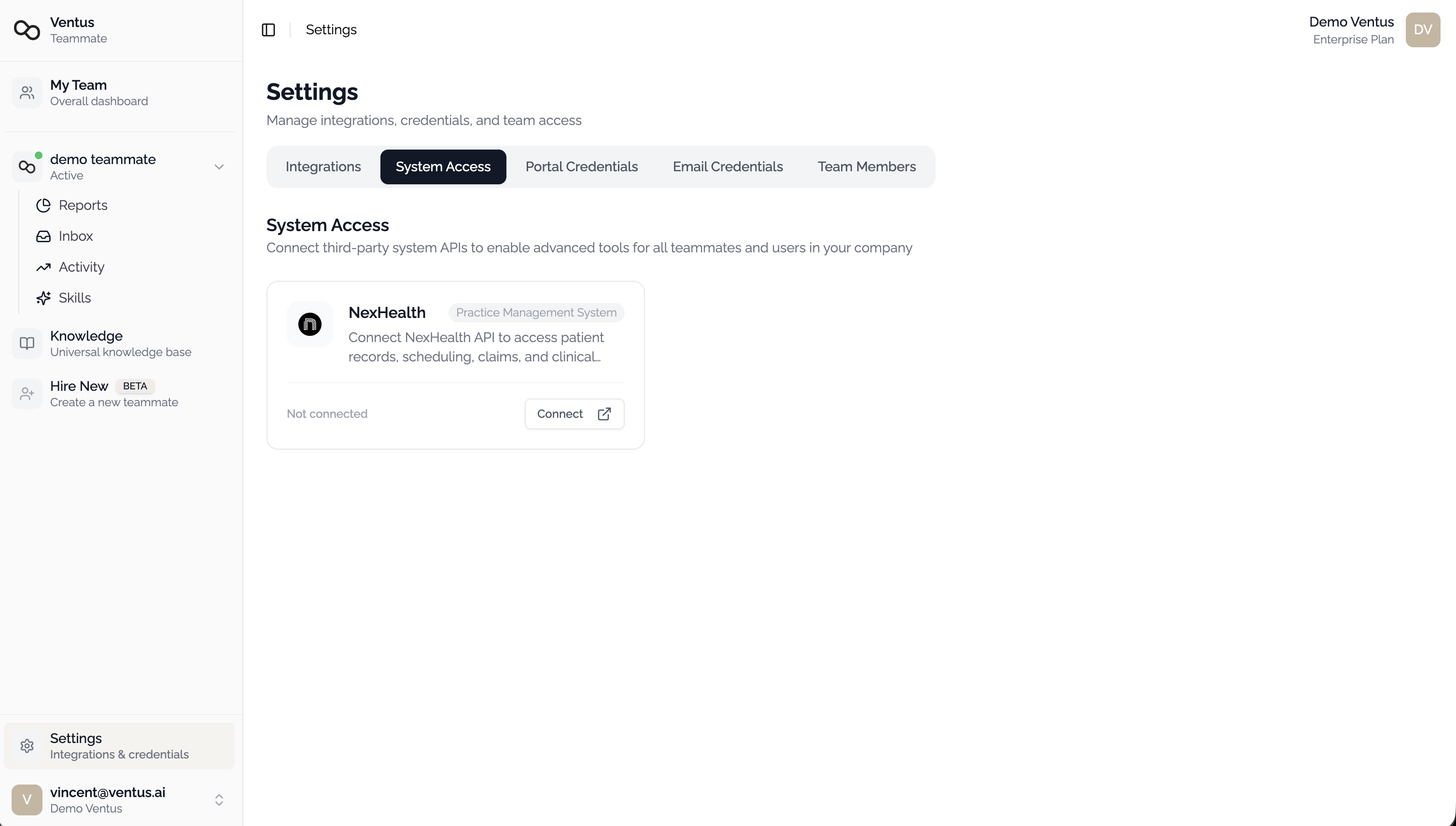
Navigate to Settings > System Access.
Find NexHealth and click Connect.
Step 2: Enter Credentials
| Field | Required | Description |
|---|---|---|
| Subdomain | Yes | Your NexHealth institution subdomain (e.g., urbn-dental) |
| API Key | Yes | Your NexHealth API key |
Click Connect to save.
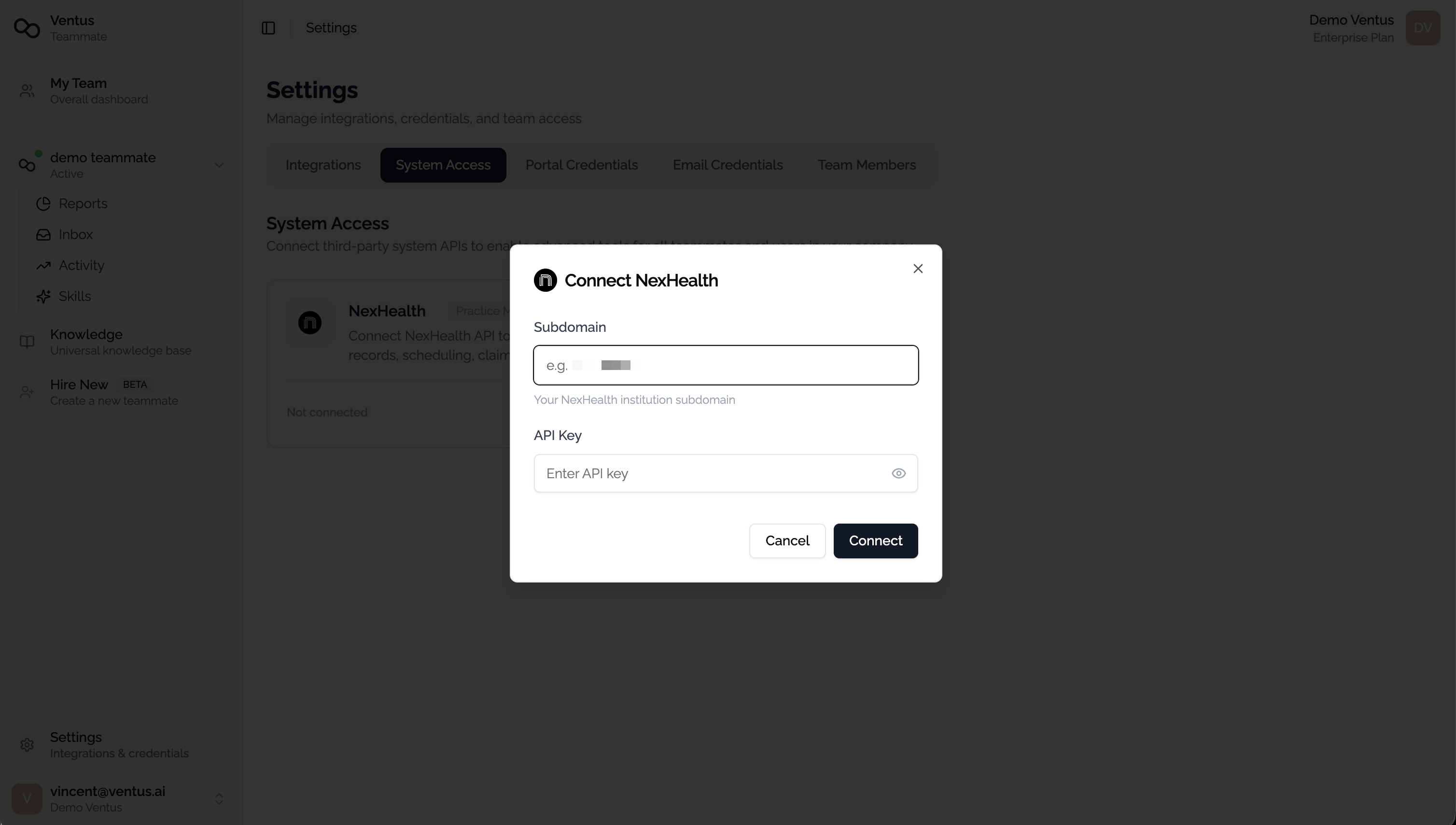
Your API key is encrypted at rest and is never displayed in the UI after saving.
Step 3: Verify Connection
After connecting, the NexHealth integration will appear as Active in the System Access tab.
Step 4: Enable NexHealth on a Teammate
After connecting NexHealth at the company level, grant access to individual teammates.
During Teammate Creation
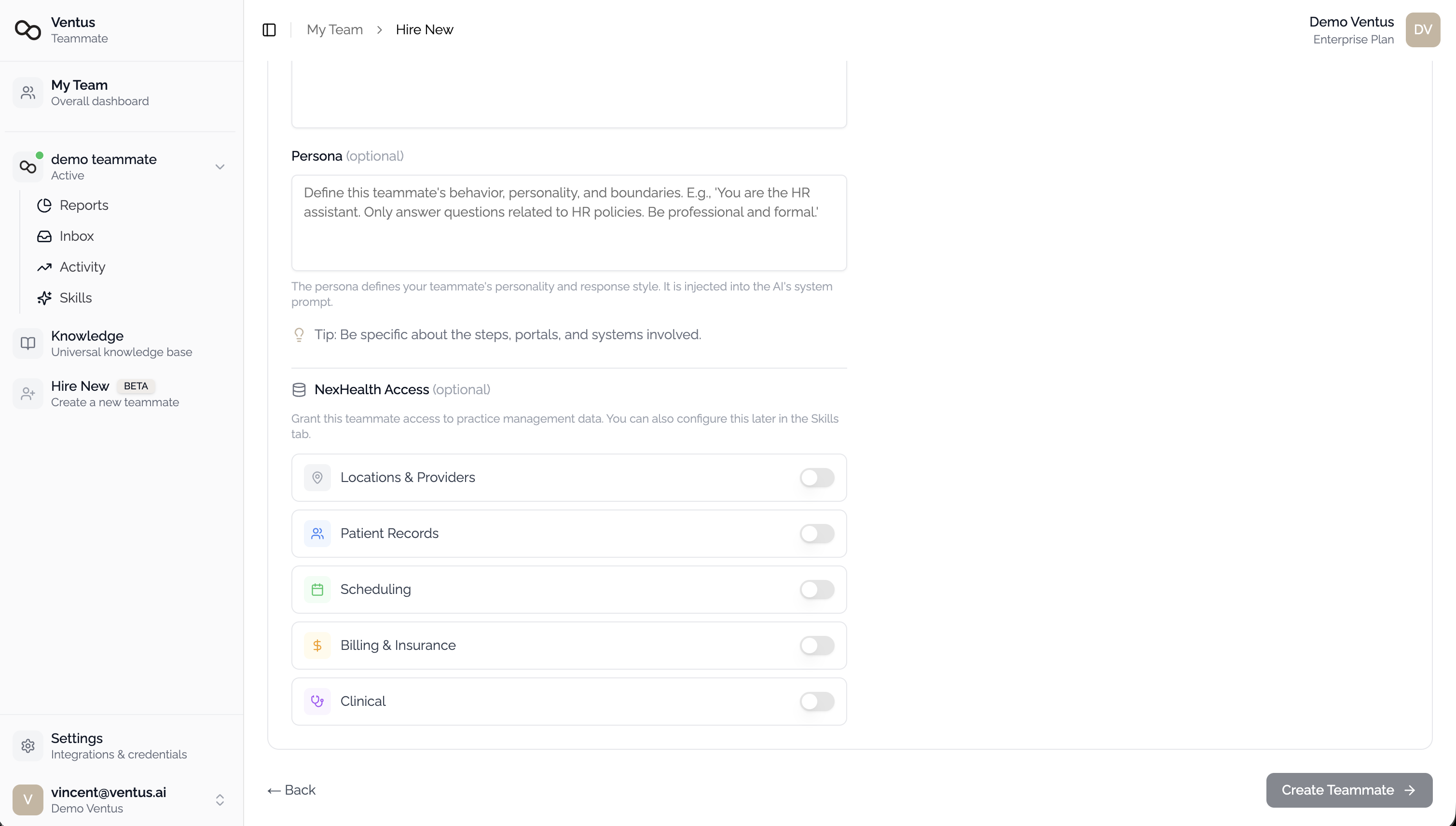
When creating a new teammate, a NexHealth Access section appears at the bottom of the configuration form. Toggle on the data categories this teammate should access:
- Locations & Providers
- Patient Records
- Scheduling
- Billing & Insurance
- Clinical
On an Existing Teammate
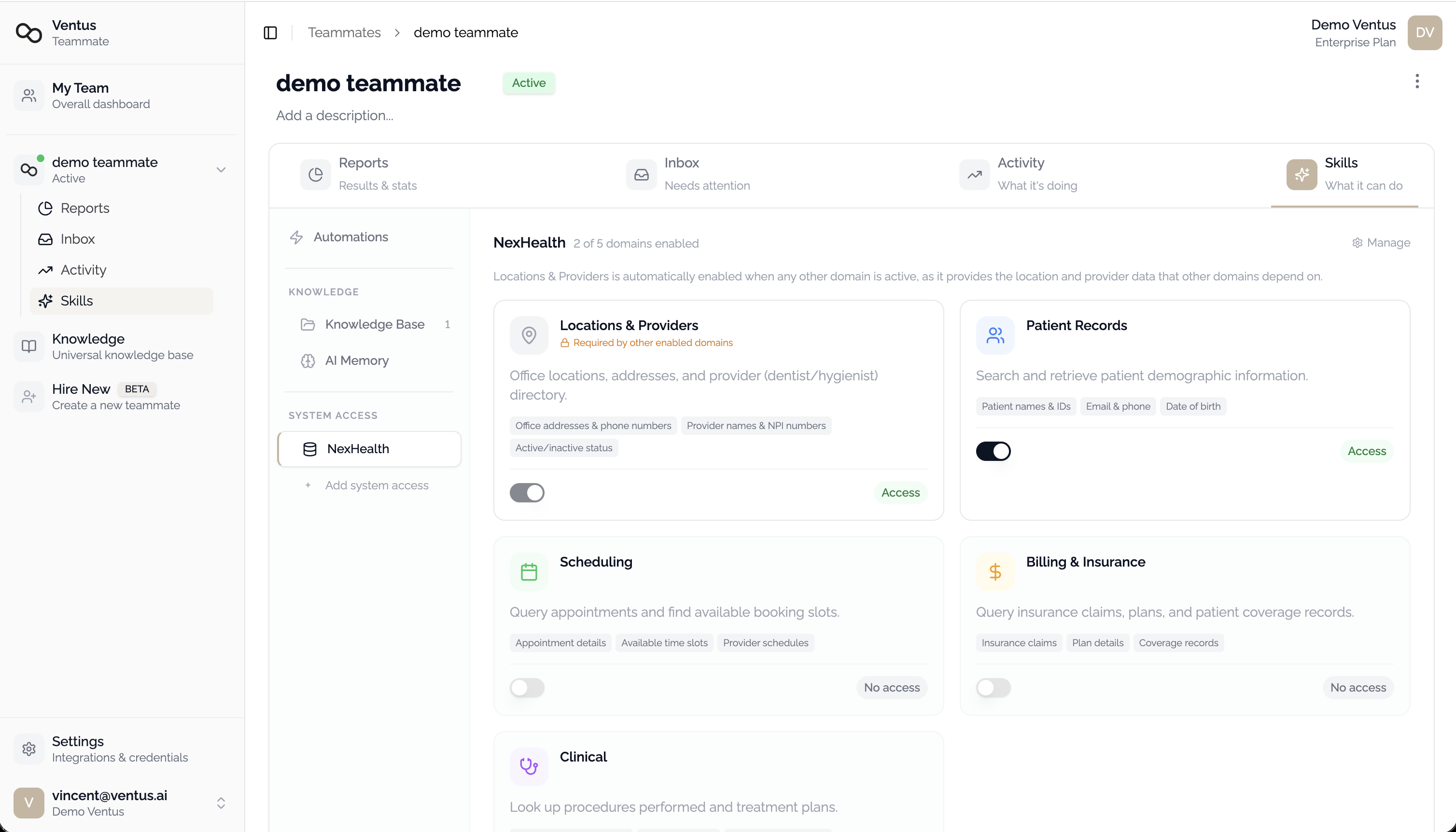
Navigate to the teammate detail page, open the Skills tab, and select the NexHealth section. Toggle access on or off.
How Queries Work
When a user asks a question that requires real-time data (e.g., "What appointments does John Smith have this week?"):
- The AI teammate identifies the relevant NexHealth data domain
- Queries the NexHealth API using your organization's credentials
- Returns results in a natural-language response
Limitations
- All access is read-only
- Date-range queries are limited to 7 days per request
- The teammate may ask follow-up questions to disambiguate queries (e.g., multiple patients with similar names)