
Struggling with dental claim triage? Automate prioritization to cut AR days and focus staff on high-value claims. See how Smilist runs 3,000+ checks daily.
What is Intelligent Dental Claim Triage?
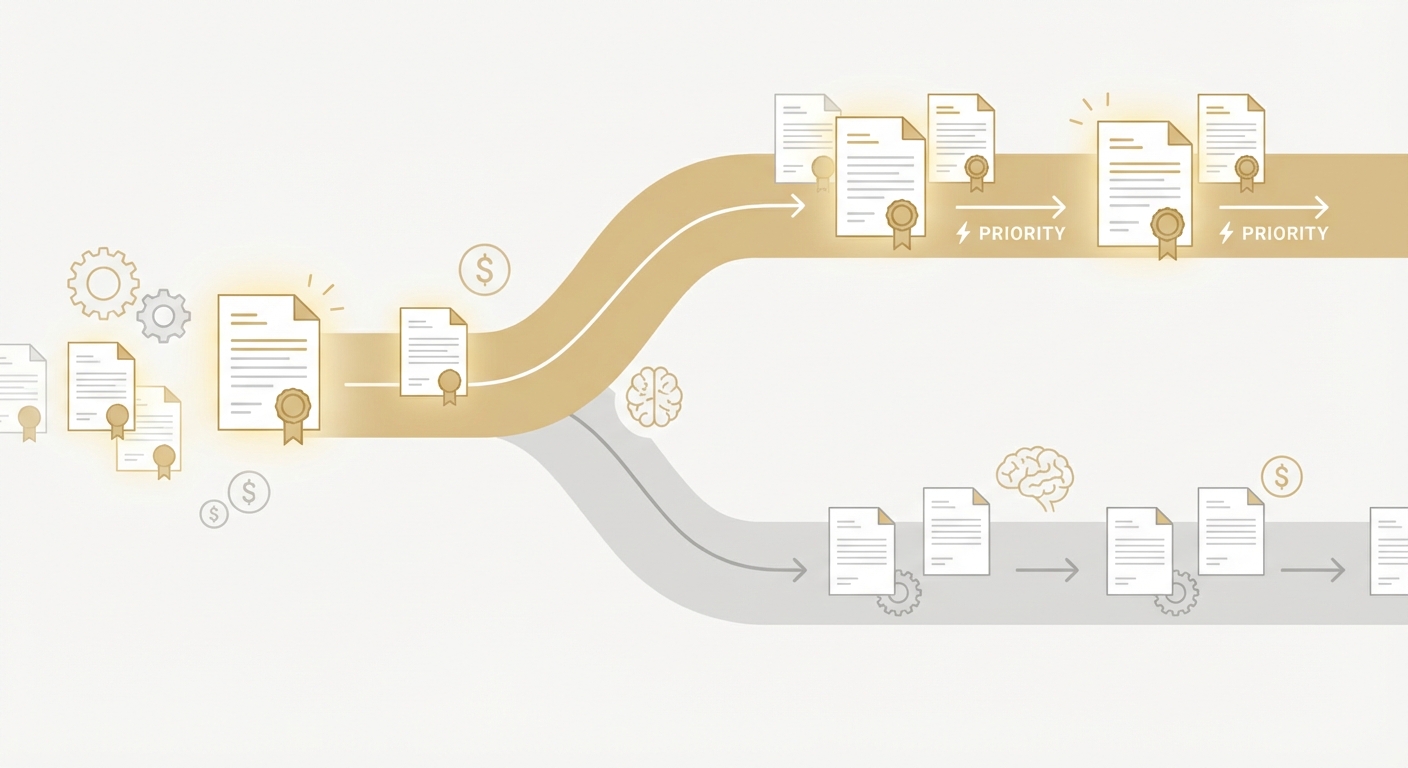
Intelligent dental claim triage is the automated process of evaluating open claims and routing the right ones to the right next action—status check, escalation, appeal, correction, or phone follow‑up—based on value, risk, payer behavior, and time sensitivity. Instead of first-in/first-out queues, triage scores each claim by impact to cash, then prioritizes high-value actions.
The benefits are tangible: faster cash conversion, fewer write‑offs, and higher staff productivity. Real-world proof: Smilist deployed AI agents for claim statusing, with agents executing over 3,000 status checks per day—volume that would require multiple full‑time coordinators. When triage feeds the highest-impact claims to those agents first, DSOs unlock even larger returns. This guide shows how modern AI agents make triage practical in 2026—without EMR/PM integrations—so your team can focus on decisions, not drudgery.
You’ll learn the hidden costs of manual prioritization, three viable models for triage (and when to use each), a step‑by‑step rollout plan, ROI ranges you can defend in the boardroom, and a practical action plan you can execute this quarter.
The Hidden Cost of Manual Claim Prioritization
Most dental billing teams still work claims in a linear queue: oldest first, then everything else. That feels fair—but it’s financially inefficient. High‑value, at‑risk claims (e.g., large treatment plans, crown/implant cases, periomaintenance bundles) wait behind low-dollar line items. Denials with short appeal windows get buried. Coordinators jump between portals, spreadsheets, and inboxes to find what matters, losing hours in context switching.
Consider the typical day:
- A coordinator scans 8–12 payer portals, logs in with MFA, and checks aging claims.
- She copies claim IDs into spreadsheets, filters by aging bucket, then combs through EOBs to find denials that can actually be overturned.
- After two hours of statusing, she realizes three high‑dollar claims with 10‑day appeal windows were missed yesterday.
Scale that across 20+ locations and hundreds of daily claims, and the opportunity cost balloons. Industry analyses consistently show that automating administrative transactions can save billions annually; for instance, the CAQH Index 2023 estimates $25B in potential annual savings if the U.S. healthcare system fully automates high‑volume admin tasks. While that’s across healthcare, the pattern holds in dental RCM: error‑prone manual triage is a throughput bottleneck.
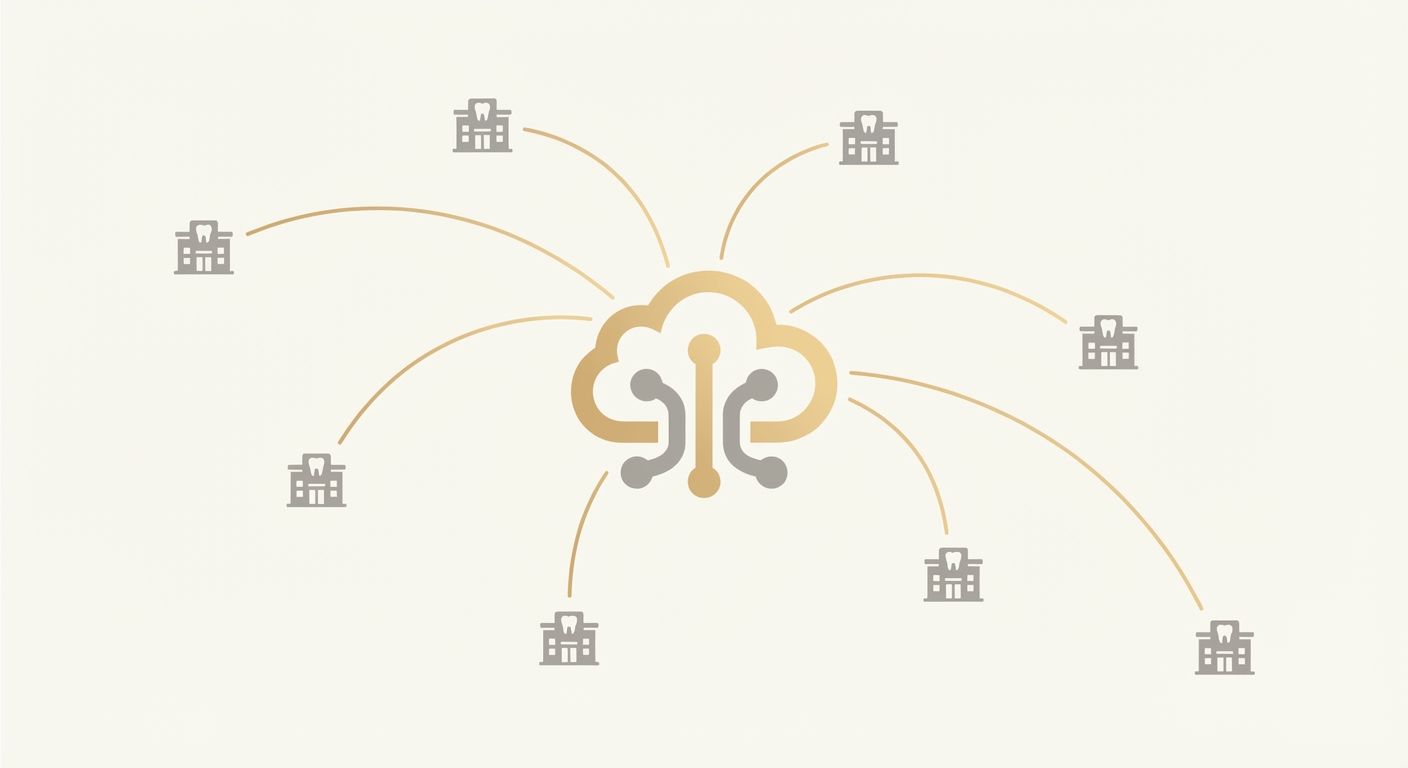
This is where modern, browser‑native AI agents change the calculus. With Ventus AI, agents work directly in payer portals and practice management systems (no APIs required), handle MFA and CAPTCHAs, and surface the highest‑impact claims first. They ping your team in Slack or Teams with a ranked “do‑now” queue, attach evidence (screenshots, EOB excerpts), and even place phone calls to resolve exceptions. Your experts still make the judgment calls—agents just make sure their next hour goes to the claims that matter most.
DSOs with 50+ locations save 40% on RCM costs in the first 90 days.
Request an Enterprise AssessmentThree Models for Dental Claim Triage: A Head-to-Head Comparison
You have three realistic approaches to triage. Each can work—your choice depends on speed, flexibility, and ROI.
1. Manual, In‑House Prioritization
- Best for: Very small practices with low claim volume and stable payer mix.
- Pros: Full control, no vendor fees, context awareness of patient history.
- Cons: Time‑intensive, inconsistent, prone to human bias, difficult to scale across locations.
2. Outsourced/BPO Rules‑Based Triage
- Best for: DSOs seeking short‑term labor relief without changing workflows.
- Pros: Immediate capacity, SLA‑driven, can apply basic rules (e.g., >$500, >30 days).
- Cons: Rigid rules, limited payer nuance, higher ongoing cost, slower continuous improvement.
3. AI Agent–Driven Triage (Browser‑Native)
- Best for: Multi‑location DSOs and growth‑oriented practices that want fast cash acceleration and continuous learning.
- Pros: No API integrations, handles MFA/CAPTCHAs, adapts to payer behavior, communicates via Slack/Teams/Email, can make phone calls for exceptions, HIPAA compliant and SOC 2 Type II.
- Cons: Requires light process mapping up front; staff change management to embrace “agents as teammates.”
Manual vs Automated: What Changes in Practice
| Capability | Manual In‑House | Outsourced Rules | Ventus AI Agent–Driven |
|---|---|---|---|
| Prioritization logic | Aging buckets, coordinator judgment | Static thresholds, playbooks | Dynamic scoring by value, risk, payer behavior |
| Data collection | Portal by portal, copy/paste | Batch updates, periodic | Continuous, browser‑native with screenshots |
| Handling MFA/CAPTCHA | Coordinator time | Human time | Automated flows with human fallback |
| Speed to insight | Hours to days | 24–72 hours | Minutes; rolling updates all day |
| Adaptation to payer quirks | Slow, tribal knowledge | Slow, change requests | Rapid, retrains on live outcomes |
| Communication to staff | Email/spreadsheets | Ticket portals | Slack/Teams tasks with evidence |
| Exceptions phone calls | Staff heavy | BPO agents | AI places calls; escalates to staff when needed |
| Compliance | Varies by org | Vendor dependent | HIPAA + SOC 2 Type II |
When does AI agent–driven triage win? Any time your payer mix is diverse, volume is high, and the cost of missing a single large claim outweighs the setup time. It also shines when you want measurable, audit‑ready evidence for every triage decision.
Implementation Roadmap: From Pilot to Scale
A disciplined rollout lets you see impact in under a week—then expand with confidence.
- Define the outcome and scope
- Cash goal: e.g., reduce >60‑day AR by 20% in one region.
- Scope: Select 2–3 locations and 3–5 top payers.
- Claim types: High‑value procedures (crowns, implants, perio), frequent denials.
- Map your decision rules (starting point, not finish line)
- Value signals: Claim amount, plan coverage %, provider, treatment type.
- Risk signals: Payer, denial codes, prior auth required?, appeal window.
- Urgency signals: Days in AR, last touch, appointment proximity.
- Configure AI agents
- Browser‑native setup: Agents log into payer portals and your PM system (no APIs).
- Security: Enable role‑based access; agents handle MFA and CAPTCHAs securely.
- Communication: Connect Slack/Teams channels for daily triage queues and exceptions.
- Dry‑run and user acceptance testing (UAT)
- Parallel run: 2–3 days where agents triage; coordinators validate.
- Evidence pack: Agents attach screenshots, EOB snippets, and rationale.
- Tuning: Adjust scoring weights (e.g., elevate claims >$1,000 with 14‑day appeal windows).
- Go live and expand
- Coverage: Move from 3 payers to the top 10; add locations.
- Escalations: Agents place phone calls on aged, high‑value exceptions; summarize call outcomes in Slack/Teams.
- Audit trail: Every action time‑stamped, with artifacts for compliance.
- Institutionalize continuous learning
- Weekly review: What got paid, what got overturned, what missed SLAs?
- Retrain weights: Up‑rank payers now denying for a new attachment requirement.
- Roll out playbooks: Turn validated patterns into standard operating procedures.
"Ventus stands out from the noise in the AI and automation market. Their approach allows them to ramp up quickly in the messy middle of RCM."
— Philip Toh, Co‑founder & President, Smilist
Smilist’s agents now execute 3,000+ status checks daily. That same backbone powers intelligent triage: browser‑native agents surface the next best actions for coordinators, keep everyone informed in Slack, and accelerate cash without ripping and replacing systems. Typical deployment time is under 7 days, so you can reach a “steady signal” before month‑end close.
ROI Reality Check: What DSOs Actually Achieve
The numbers that matter to executives are speed, yield, and cost to maintain. Intelligent triage moves all three.
- Faster cash conversion: Prioritizing high‑value, high‑risk claims first reduces average days in AR. Teams commonly see high‑dollar claims resolved days faster because they’re never buried behind low‑value work.
- Higher recovery on denials: Structured, timely appeals improve overturn rates. Agents flag appeal windows and assemble evidence so coordinators don’t miss deadlines.
- Coordinator leverage: With mundane statusing automated, one coordinator can cover more locations and spend time on complex, revenue‑impacting work.
- Predictable month‑end: Rolling, AI‑driven updates de‑risk close by surfacing unworked high‑value items early in the cycle.
Key metrics to track:
- % of claims worked by value tier: Ensure >80% of top‑tier claims are touched within 48 hours.
- Appeal timeliness: % of denials appealed within 7–10 days by payer rule.
- Touch efficiency: Claims per FTE per day; stratify by claim value.
- Rework rate: % of claims requiring second pass due to missing info.
- Cash acceleration delta: Days faster to payment for top‑tier claims.
Timelines to outcomes:
- Quick wins (1–2 weeks): Clean visibility; coordinators tackle a ranked queue; early cash pops as obvious high‑value items get resolved.
- Operational gains (30–60 days): Denial overturn rates improve; AR aging curve shifts left.
- Structural impact (90+ days): Reduced rework; better forecasting; fewer write‑offs on large cases.
Smilist’s 3,000+ daily checks are proof that browser‑native agents can carry a heavy operational load. When you aim that capacity with intelligent triage, you direct the “fire hose” to the most valuable claims—exactly where ROI is highest.
See why scaling DSOs trust Ventus AI to automate claim statusing, denials, and AR follow-up.
Request a Demo and Free RCM AuditFrequently Asked Questions
How does intelligent dental claim triage work?
Intelligent triage scores each open claim by value, risk, and urgency, then routes the next best action to staff. Browser‑native AI agents log into payer portals and your PM system, collect status and evidence, and push a ranked queue to Slack/Teams. Signals can include claim amount, payer behavior, denial codes, appeal windows, and last touch date. Agents also handle MFA/CAPTCHAs and can make phone calls on flagged exceptions, documenting outcomes. The result is a continuously updated worklist that ensures high‑value claims are never buried.
How much does intelligent claim triage cost?
Costs are typically a fraction of adding headcount, and ROI is driven by accelerated cash and fewer write‑offs. Because agents work via browsers (no integrations), setup is minimal and ongoing costs align with transaction volume. Many DSOs fund the program from recovered cash in the first 30–60 days. We anchor value to measurable outcomes—e.g., days‑to‑pay improvement for top‑tier claims—rather than seats or static licenses. For a tailored model on your payer mix, schedule a walkthrough via our dental RCM automation page or book a demo.
How long does implementation take?
Under 7 days for a focused pilot. Most teams start with 2–3 locations and 3–5 payers, reach signal in week one, then expand. Agents work in your existing portals from day one, so there’s no API build. Smilist ramped quickly in the “messy middle” of RCM: agents now perform 3,000+ status checks daily, the same backbone used for triage. Daily Slack or Teams updates keep the pilot on track, and a weekly review tunes scoring weights and exception rules.
Is it HIPAA/SOC 2 compliant and secure?
Yes—Ventus is HIPAA compliant and SOC 2 Type II certified. Agents use role‑based access, handle MFA and CAPTCHAs securely, and retain audit trails with time‑stamped evidence (e.g., screenshots, EOB excerpts). We align with least‑privilege principles and segregate duties by role and location when required. Admins can see every agent action, including phone calls on exceptions. Security reviews and BAAs are standard, and we’ll adapt to your org’s password rotation and device policies.
What results can I expect and how fast?
Most DSOs see faster payment on high‑value claims within weeks. By prioritizing big‑impact, time‑sensitive items, teams reduce days in AR and improve appeal timeliness. Smilist’s 3,000+ daily status checks show how browser‑native agents remove manual toil at scale; applied to triage, that scale targets the claims that move cash. Expect early wins in 1–2 weeks, operational gains in 30–60 days, and structural improvements (fewer write‑offs, steadier month‑end) by 90 days.
Can it handle payer portals with MFA and CAPTCHAs?
Yes—agents are built for real‑world security flows, including MFA prompts and CAPTCHAs. They operate natively in browsers, navigate portal changes, and escalate to human teammates when needed. For stubborn exceptions, agents can place phone calls, record outcomes, and attach call notes in Slack/Teams. This approach avoids brittle integrations and keeps pace with ever‑changing payer UIs. If a payer changes a form or adds a new attachment step, agents adapt without waiting on IT sprints.
Does this require integrations with my PM/EMR?
No—AI agents work in your existing browser workflows, so there’s no API or data‑warehouse project required. They log into payer portals and your practice management system the same way staff do, capturing screenshots and structured notes for auditability. That’s why pilots go live in under a week. If you also manage medical claims or prior auths, the same approach applies in our medical RCM automation solutions.
How do my staff interact with the agents day to day?
Staff receive prioritized worklists and evidence in Slack, Microsoft Teams, or email, then act on exceptions or approvals. For example, an agent posts: “Payer X, claim #..., $1,240, appeal due in 9 days—missing PA; suggested steps + files attached.” Coordinators confirm, edit, or complete the action and the agent closes the loop. Agents also surface daily summaries, trend alerts (e.g., new denial pattern), and produce an audit trail for management.
Your Next Move: Action Plan for This Quarter
- Pick a target lane: Choose 2–3 high‑value procedures and your top 3–5 payers. Define success (e.g., 20% reduction in >60‑day AR for those claims).
- Pilot with agents-as-teammates: Connect Slack/Teams, outline initial scoring (value, risk, urgency), and let agents generate ranked queues for one region.
- Validate with evidence: Require screenshots/EOB snippets and measure: % top‑tier claims worked in 48 hours, appeal timeliness, cash acceleration delta.
- Scale deliberately: Expand to more locations and payers; add phone-call escalations for stubborn, high‑value exceptions.
- Institutionalize learning: Weekly reviews to tune scoring and capture payer quirks, turning insights into durable playbooks.
Your coordinators’ time is precious—aim it where it moves cash today. → See how it works on your payer mix — Book a 30‑minute demo
Ready to Transform Your Dental RCM?
See how Ventus AI agents can automate your claim denial management and AR follow-up across all your locations in under 7 days—no complex integrations required.
Book Your Free Demo
Enterprise AI Automation for Healthcare RCM
Written by the Ventus AI team — healthcare RCM practitioners, automation engineers, and former revenue cycle leaders building AI agents that work as teammates alongside billing teams. Ventus is SOC 2 Type II certified and HIPAA compliant.